Explore the jungel
Learning Experiences- case study
Explore the Jungle is an interactive learning game designed for elementary school students who are learning English as a second language. The game teaches animal names in English through a playful and visual learning experience. It is based on matching an English word with the correct animal in an image. Through gameplay, immediate feedback, and repetition, students strengthen their English vocabulary in an engaging and enjoyable way. The game can be used for independent learning both at school and at home.
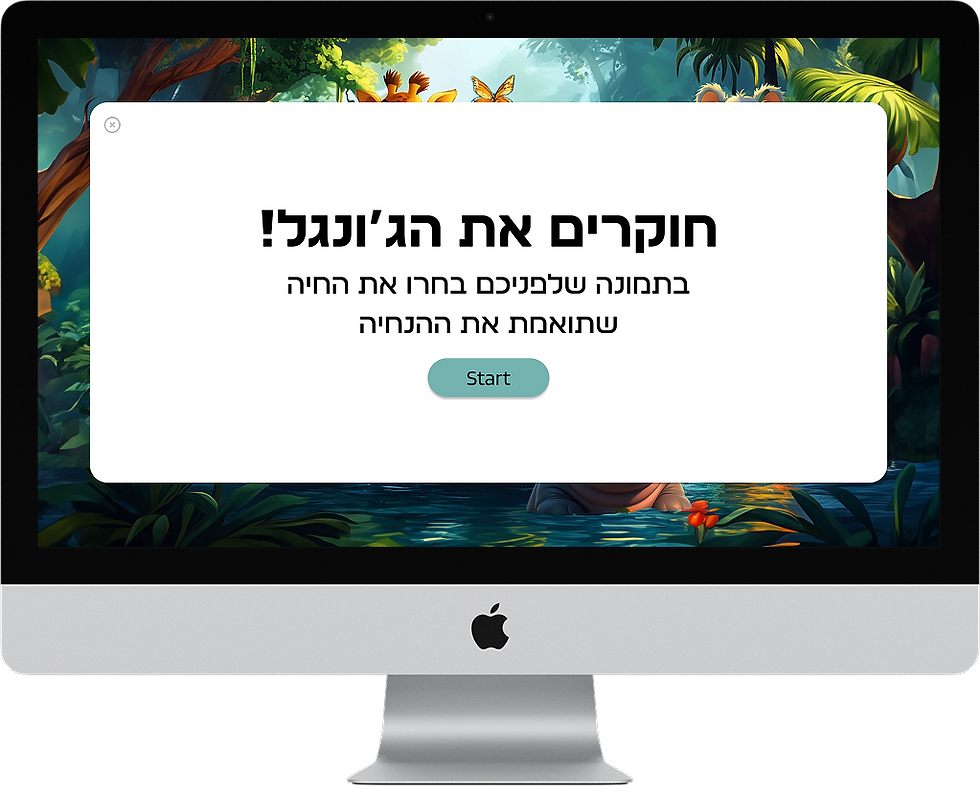

* Start screen
The start screen is designed to attract the child’s attention and create a sense of exploration.
The game title appears in colorful typography with animal textures that spark curiosity.
* Instructions Screen
This screen presents short instructions explaining the goal of the game. The instructions are written in Hebrew because children at this age may not yet be able to read English fluently.

* Start screen
The start screen is designed to attract the child’s attention and create a sense of exploration.
The game title appears in colorful typography with animal textures that spark curiosity.
* Instructions Screen
This screen presents short instructions explaining the goal of the game.
The instructions are written in Hebrew because children at this age may not yet be able to read English fluently.

* Word Screen
In this stage, the name of an animal appears in English, and the child must identify the matching animal from the images.
At the bottom of the screen, a progress indicator shows the current stage and how many questions remain.
The progress display:
-
helps the child understand the structure of the game
-
creates a sense of progress
-
encourages the child to continue until completion
In addition, the player can exit the game at any stage, giving the user a sense of control over the experience.


* Animal Selection Screen
This screen displays only animal images, and the player selects the one that matches the word shown on the previous screen.
The simplicity of the screen helps the child focus on the identification task without visual overload.
* Feedback Screens
The game provides immediate feedback after each selection.
Correct answers receive positive reinforcement, while incorrect answers allow the player to try again until the correct choice is made.
* Completion Screen
At the end of the game, a success screen appears indicating that all stages were completed.
The player can choose to play again or exit the game.

* Word Screen
In this stage, the name of an animal appears in English, and the child must identify the matching animal from the images.
At the bottom of the screen, a progress indicator shows the current stage and how many questions remain.
The progress display:
-
helps the child understand the structure of the game
-
creates a sense of progress
-
encourages the child to continue until completion
In addition, the player can exit the game at any stage, giving the user a sense of control over the experience.


* Animal Selection Screen (second screen)
This screen displays only animal images, and the player selects the one that matches the word shown on the previous screen.
The simplicity of the screen helps the child focus on the identification task without visual overload.
* Feedback Screens
The game provides immediate feedback after each selection.
Correct answers receive positive reinforcement, while incorrect answers allow the player to try again until the correct choice is made.
* Completion Screen
At the end of the game, a success screen appears indicating that all stages were completed.
The player can choose to play again or exit the game.

Target Users
Age
Children aged 6–9 (Grades 1–3).
Learning Context
Elementary school students learning English as a second language in a Hebrew-speaking environment.
User Characteristics
Children in this age group tend to learn more effectively through interactive and visual experiences. They are highly responsive to games, activities, and immediate feedback.
Design Implication
The interface was designed to be simple, clear, and intuitive, allowing children to focus on the learning task without unnecessary complexity.
Target Users
Age
Children aged 6–9 (Grades 1–3).
Learning Context
Elementary school students learning English as a second language in a Hebrew-speaking environment.
User Characteristics
Children in this age group tend to learn more effectively through interactive and visual experiences. They are highly responsive to games, activities, and immediate feedback.
Design Implication
For this reason, the interface was designed to be simple, clear, and intuitive, allowing children to focus on the learning task without unnecessary complexity